Introduction
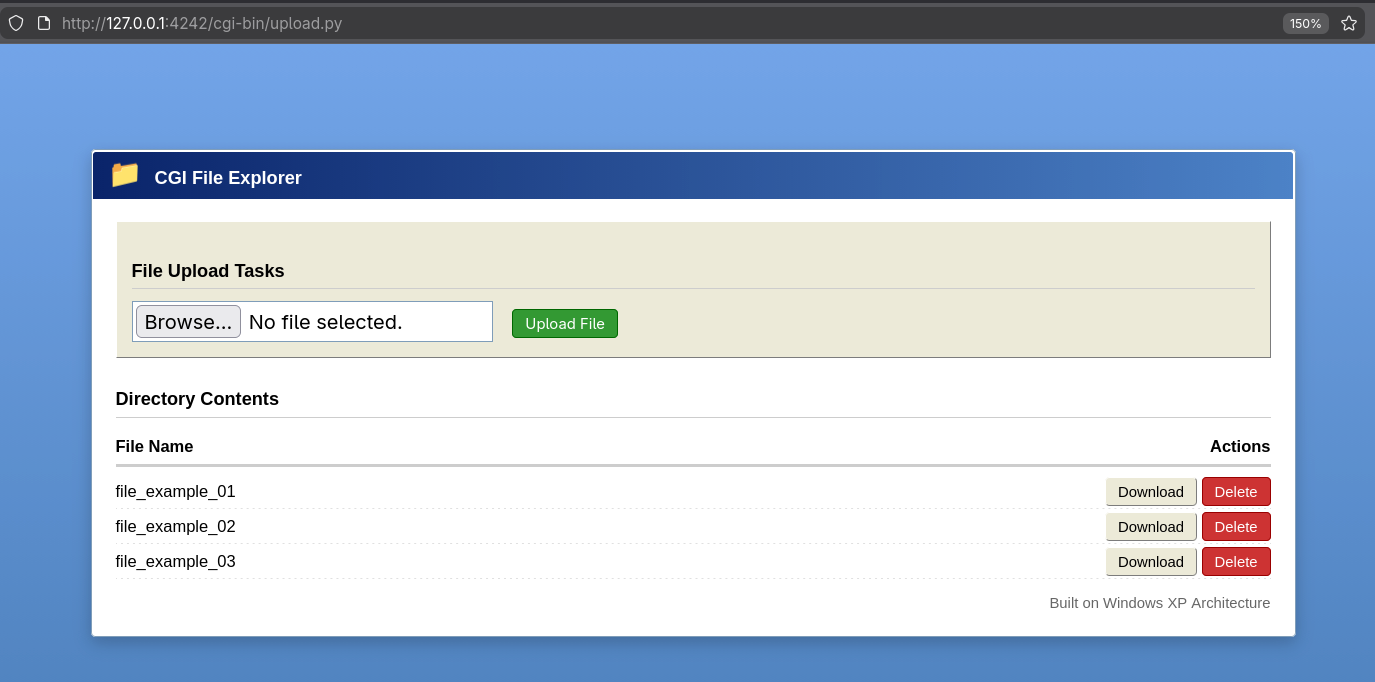
The Webserv project is a custom, fully functional HTTP server built from scratch in C++98. It adheres to the HTTP/1.1 protocol specification and is designed to handle multiple simultaneous client connections efficiently. This project served as an intensive deep dive into network programming, multi-client communication, and parsing complex HTTP requests.
This project was completed during the 42 common core, in collaboration with maambuhl and lorey.
The HTTP Protocol
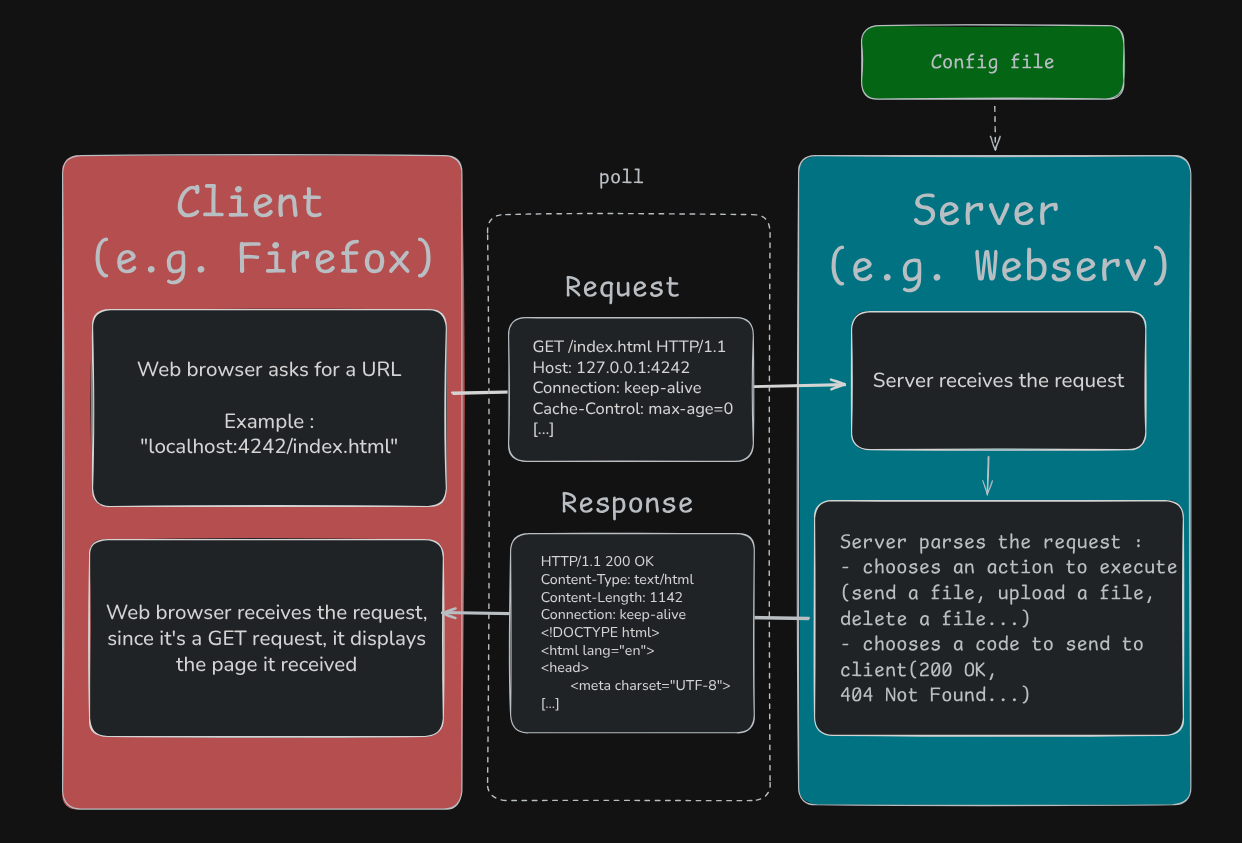
The Hypertext Transfer Protocol (HTTP) is the foundation of data communication for the World Wide Web. It is an application layer protocol designed for transmitting hypermedia documents, such as HTML. Essentially, HTTP defines how clients (e.g. web browsers) request information from servers (e.g. Webserv) and how servers transfer the response back.
We specifically chose to implement HTTP/1.1 due to its significant improvements over its predecessor. The main reason is support for Persistent Connections (Keep-Alive).
I/O Multiplexing with `poll`
poll automatically monitors a large set of non-blocking file descriptors (FDs) to determine which ones are ready for I/O operations (reading or writing) so we don't need to rely on multithreading.
Anatomy of HTTP: Requests and Responses
The fundamental unit of communication in our web server is the exchange of HTTP Request and Response. Correctly parsing and generating these messages is crucial for protocol compliance.
A request is structured into three main parts:
- Request Line: Contains the HTTP method (GET, POST, DELETE), the resource path (URI), and the HTTP version (HTTP/1.1).
- Headers: Key-value pairs providing metadata, such as
Host,Content Type, and, crucially, theContent-Lengthfor POST requests. - Body: Optional content, used only for POST requests (e.g. file contents).
After processing the request, our server constructs a meticulous response for the client:
- Status Line: Includes the HTTP version and the three-digit Status Code (e.g.
200 OK,404 Not Found,500 Internal Server Error). - Headers: Provides metadata about the response, such as
Content-Type(e.g.text/html) andConnection: Keep-Alivefor persistence. - Body: The actual content being served (e.g. the HTML page, an image file, or an error message).
Supported HTTP Methods
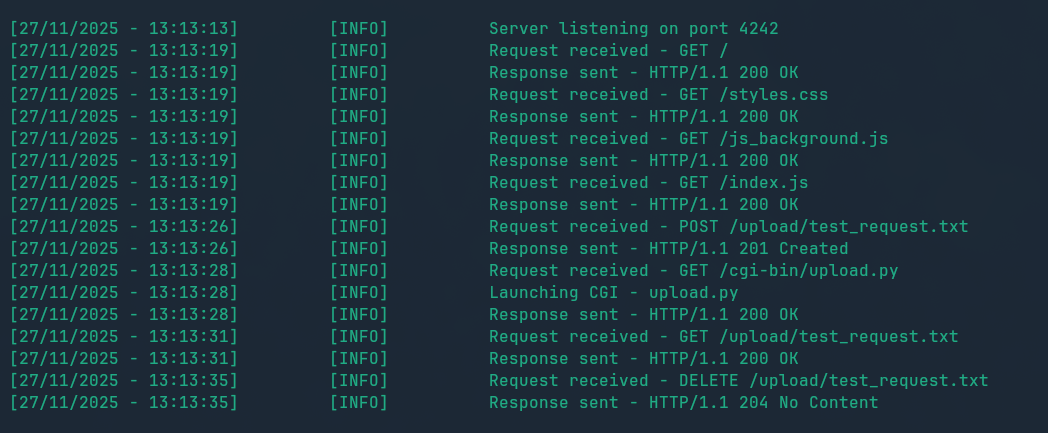
The server implements the three most common HTTP request methods, each with specific handling logic for security and file operations.
GET
Retrieves data from the specified resource. The server must handle file paths, directory listings (if configured), and manage 404 (Not Found) errors. This is the primary method for static content delivery.
POST
Submits data to be processed to a specified resource, often used for forms or uploading files. The server must correctly parse the request body, handle data size limits, and manage file writing.
DELETE
Deletes the specified resource. This is a highly restrictive method and requires careful security checks to prevent unauthorized file removal.
The NGINX-like Configuration File
To allow flexible setup and easy configuration of multiple servers, we designed a custom configuration file format heavily inspired by NGINX. Our C++ parser processes this file, enabling dynamic configuration of ports, server names, file paths, and method restrictions.
Some examples of features :
- Port and Host: Defining what address and port the server listens on.
- Error Pages: Custom files to be served for specific HTTP error codes (e.g., 404, 500).
- Client Max Body Size: Limiting the size of incoming request bodies (essential for preventing large uploads or DDoS attacks).
- Location Blocks: Specific settings applied only to certain URL paths (e.g., restricting
DELETErequests to the/uploaddirectory's content).
			server {

				name						moteurX;
				interface					localhost;
				listen						4242;
				send_timeout				60;
				error_pages					400 404 417 /www/4xx.html;
				chunk_size					16384;

				location / {
					root					/www;
					methods					GET;
					index					index.html index.htm;
					client_max_body_size	1000;
				}
				location /cgi-bin {
					root					/;
					index					hello.py;
					methods					GET;
					upload_authorized		on;
					storage_location		www/upload;
					autoindex				off;
					cgi_path				/usr/bin/python3;
					cgi_ext					.py;
				}
				location /upload {
					root					/;
					autoindex				on;
					methods					GET/POST/DELETE;
					client_max_body_size	100000;
					upload_authorized		on;
					storage_location		/;
				}
				location /search {
					return					301 /upload;
				}
			}
Common Gateway Interface (CGI)
A static server can only serve files. To introduce dynamic content and run external scripts (like Python or PHP), we implemented support for the Common Gateway Interface (CGI).
The CGI is implemented using process management functions such as fork(), dup2(), execve() and pipe().
The script (e.g. Python, Php, Perl) is being executed, and the output is being send to the client as the response's body.